Data Analytics: Tackling the Data
Steps for Descriptive Analytics
The following infographic illustrates the step-by-step process:
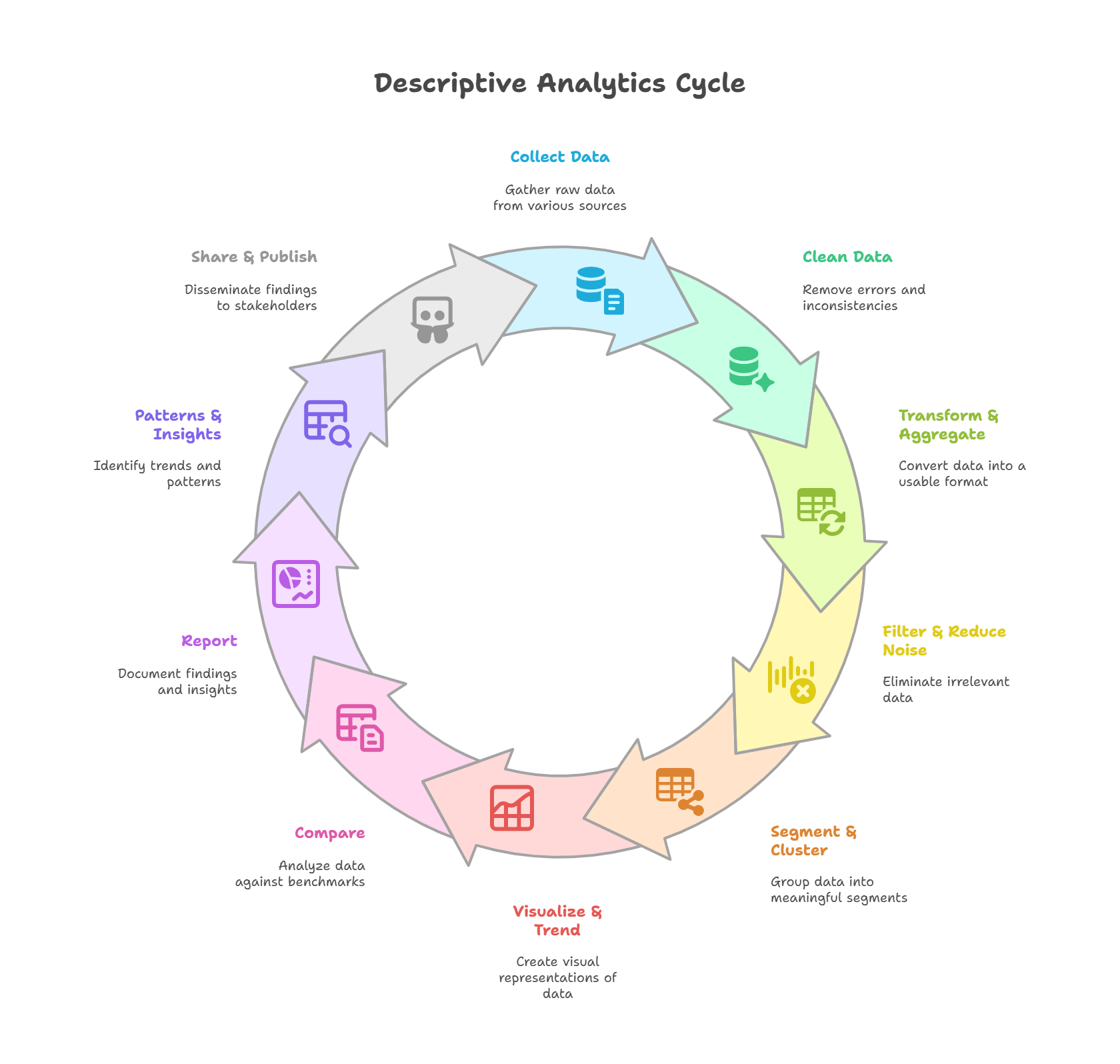
Descriptive Analytics is the foundation of data-driven decision making. It focuses on understanding what happened in the past by organizing and summarizing historical data. Below are the 10 essential steps, each with its own page:
Collecting Data
Gather raw information from databases, APIs, files, and logs into one analysis-ready table.
Cleaning Data
Remove duplicates, fix types, standardize text, and handle missing values so the data is trustworthy.
Transforming & Aggregation
Engineer calculated fields and roll detail up into summary metrics that highlight patterns.
Filtering & Reducing Noise
Scope to the relevant rows and trim outliers so averages aren't dragged around.
Segmentation & Clustering
Split one blurry population into cohorts — rule-based tiers and algorithmic groups (K-Means).
Visualization & Trending
Pick the chart that fits the question, then smooth the series to expose the underlying trend.
Comparing
Evaluate performance across periods, categories, segments, and regions — like-for-like.
Reporting
Document the answer: KPIs up top, one idea per chart, a recommendation someone can act on.
Patterns & Insights
Interpret the results — correlations, seasonality, anomalies — as testable hypotheses.
Sharing & Publishing
Deliver insights through one governed source of truth, in the right format for the audience.
Putting It All Together — The 10-Step Pipeline
Each step above is one stage of a single flow: raw data enters on the left, and a published, decision-ready insight comes out on the right. The companion notebook runs the whole thing end to end on a synthetic retail dataset generated in code — so it reproduces anywhere, with no external files.
Blue = data preparation | Violet = analysis | Teal = communication. The same flow the notebook runs end to end.
The Companion Notebook
The Jupyter notebook below implements every one of these ten steps in order, on the synthetic retail dataset, with the same pandas and SQL patterns shown on each step's page:
- Collect: generate 20,000 synthetic retail orders (seeded, reproducible).
- Clean: drop duplicates, fix data types, standardize text, handle missing values.
- Transform & aggregate: derive sales/profit, roll up to monthly metrics by region.
- Filter, segment, visualize, compare: trim outliers, cluster customers, plot the trend, compute YoY change.
- Report, find patterns, share: build the KPI summary, surface correlations and a Pareto concentration, export the deliverables.
Download: descriptive-analytics-pipeline.ipynb
Reference Library
Want these stages as reusable, tested code rather than a one-off notebook? The
Data Analytics Library is the
code companion to this series — a documented Python package that turns the same lifecycle
(loading, cleansing, exploration, visualization, and descriptive → diagnostic → predictive →
prescriptive analysis, plus a reusable ML pipeline) into composable, DataFrame-in /
DataFrame-out modules with 81 tests and CI.
View it on GitHub →